| 3)选中第2个关键帧,这里也有两个文本框和两个按钮。 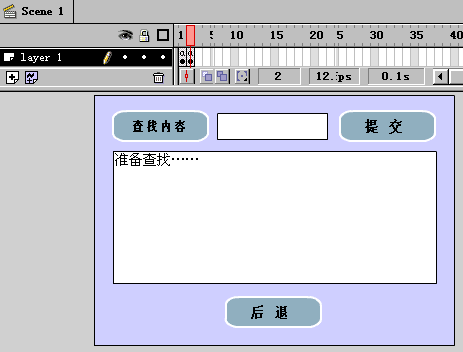
小文本框的属性为: 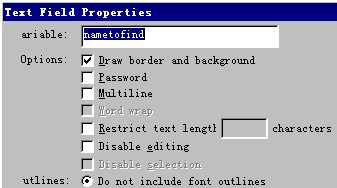
表示在此输入想查找的内容,大文本框的属性为: 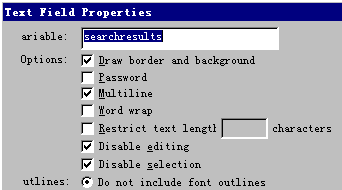
表示在此输出查找结果。打开提交按钮属性对话框,切换到Actions选项卡,里面的程序为:
On (Release)
Set Variable: "Index" = 1
Set Variable: "found" = false
Loop While (Index <= namecount and not found)
If (Eval ("name" & Index) eq nametofind)
Set Variable: "found" = true Set Variable: "searchresults" = "您要找的数据在第 " & Index & newline & newline & ( Index - 1) & ". " & (Eval("name" & (Index - 1))) & newline & Index & ". " & (Eval("name" & Index)) & newline & ( Index + 1) & ". " & (Eval("name" & (Index + 1)))
Else
Set Variable: "Index" = Index + 1
End If
End Loop
If (found = false)
Set Variable: "searchresults" = "没有您要找的数据……"
End If
Set Variable: "nametofind" = ""
End On
该段程序表示查寻输入的信息,如找到了,则在大文本框中显示,如找不到,则显示“没有您要找的数据……”信息。打开后退按钮属性对话框,切换到Actions选项卡,里面的程序为如图所示: 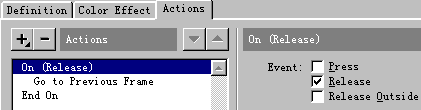
表示回到第1帧。 |  当前位置:学海荡舟 -> 电脑乐园 -> Flash实例